Hotel management in your pocket
With the RoomFollow app you run the front desk, room plan, reservations, ID scanning, police registration (KBS) and the cash desk from your iPhone. It works on the same data as the web panel.
For iPhone and iPad · available in 19 languages
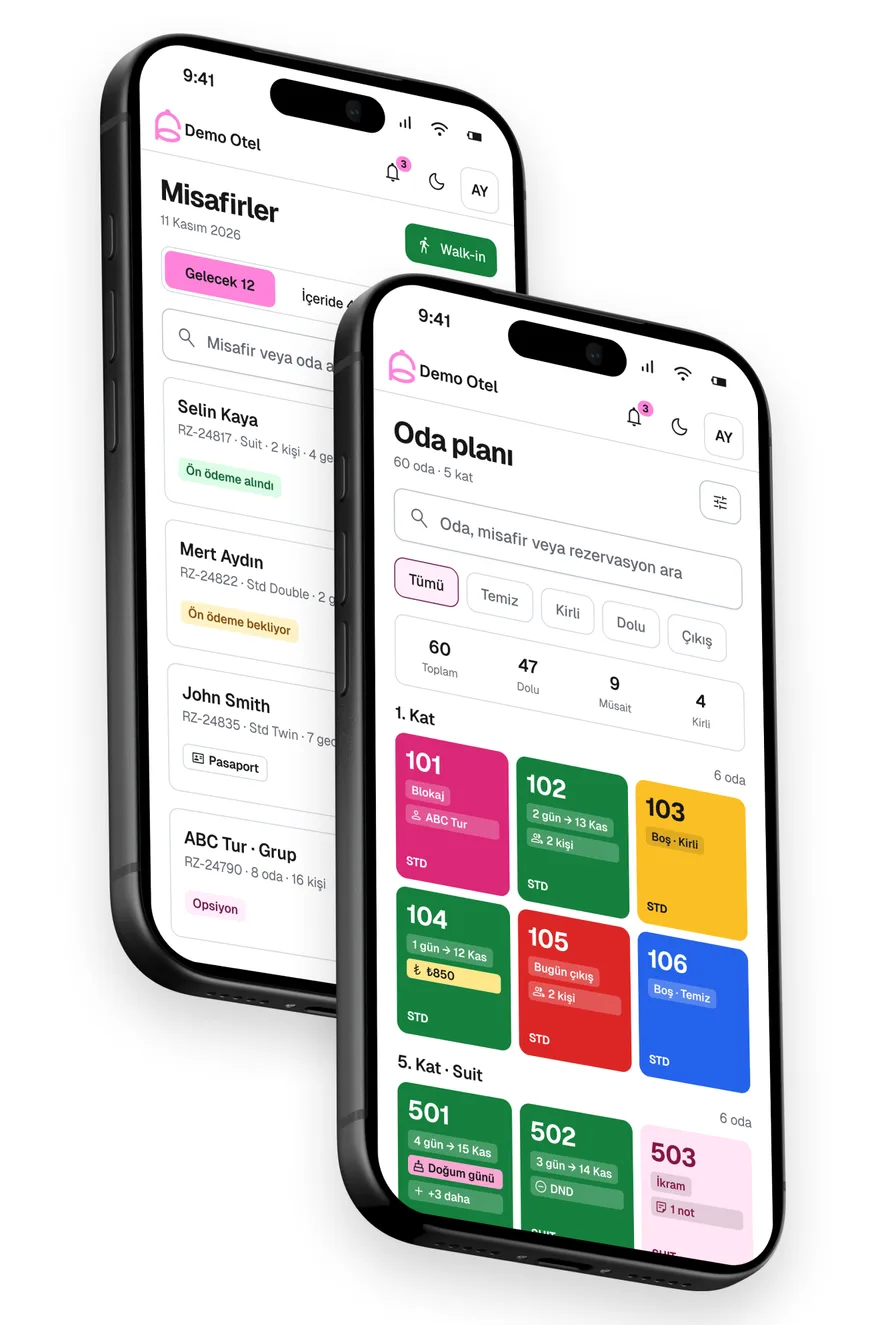
Your daily hotel work, on your phone.
Every change you make in the app reaches the web panel and the other devices instantly. Each user works with the permissions set in the panel.
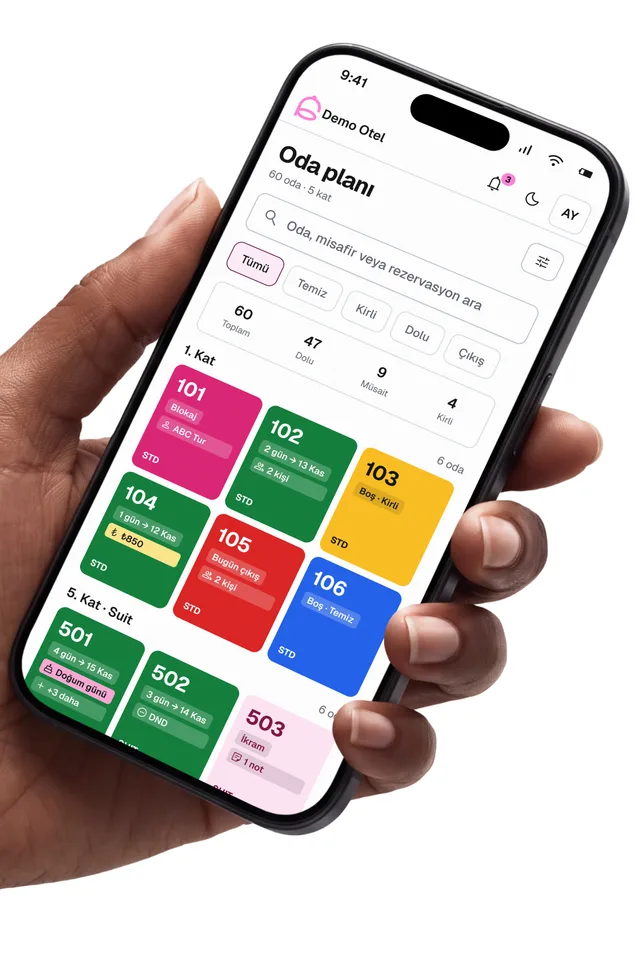
Room plan
See clean, dirty, occupied and vacant rooms by floor. Add blocks, fault reports and room notes on the spot.
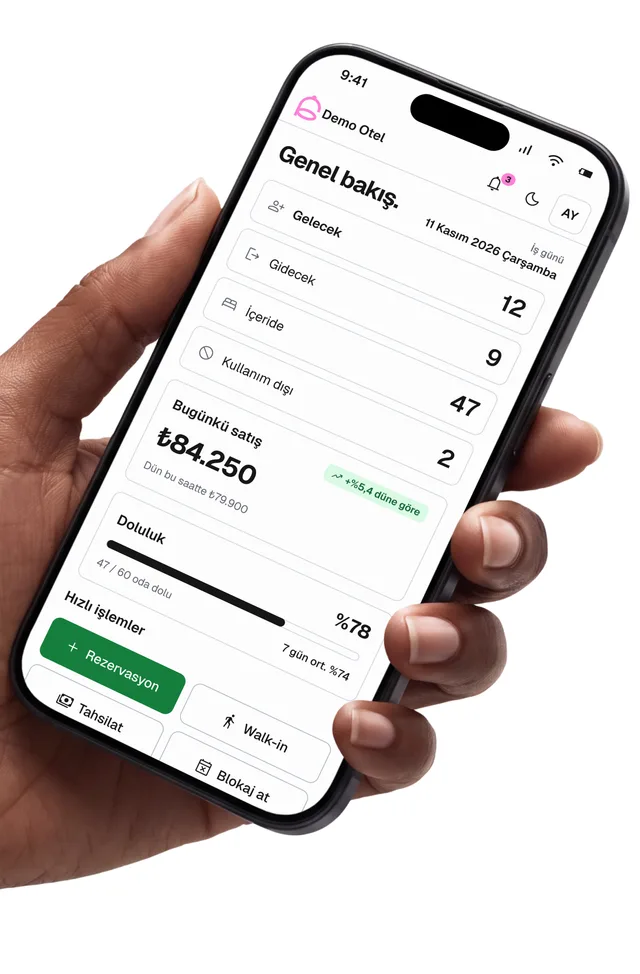
Today at a glance
Arrivals, departures, in-house guests, today's sales and occupancy on the first screen.
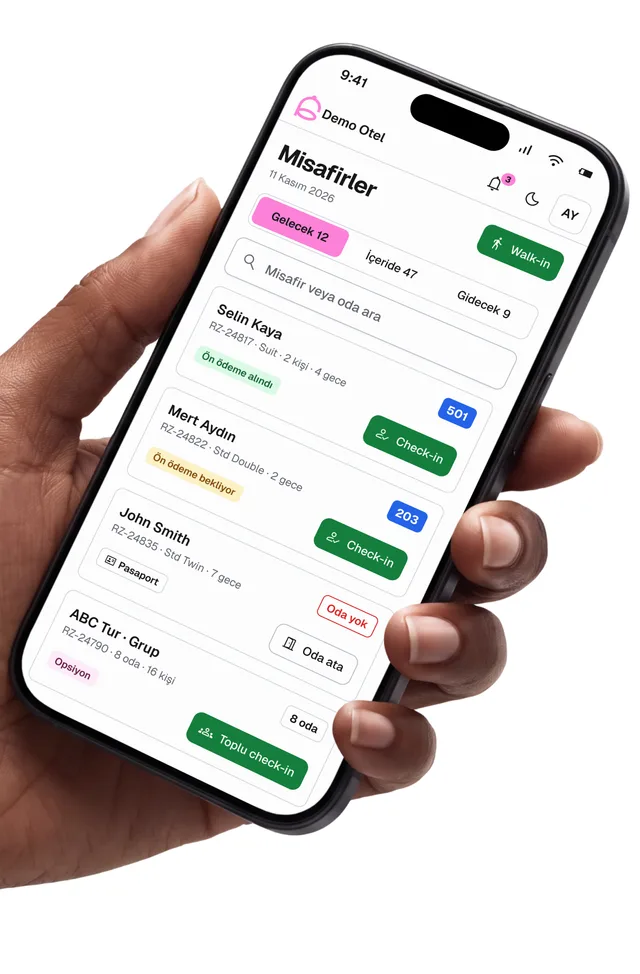
Front desk and check-in
Check guests in with one tap, see who is in the hotel and check out after collecting the balance.
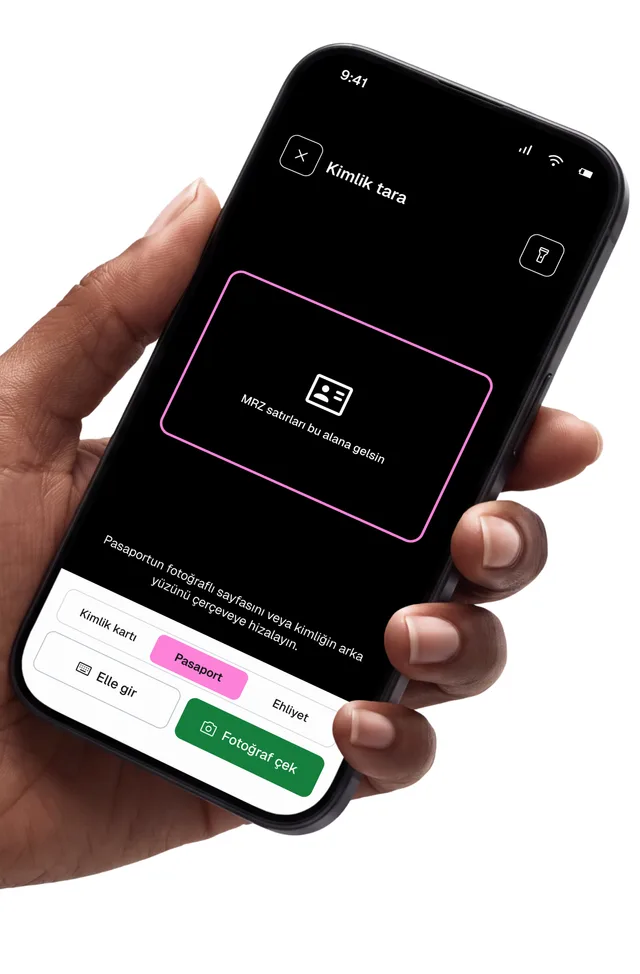
ID and passport scanning
Scan the ID card or passport with the camera and the guest form fills itself in.
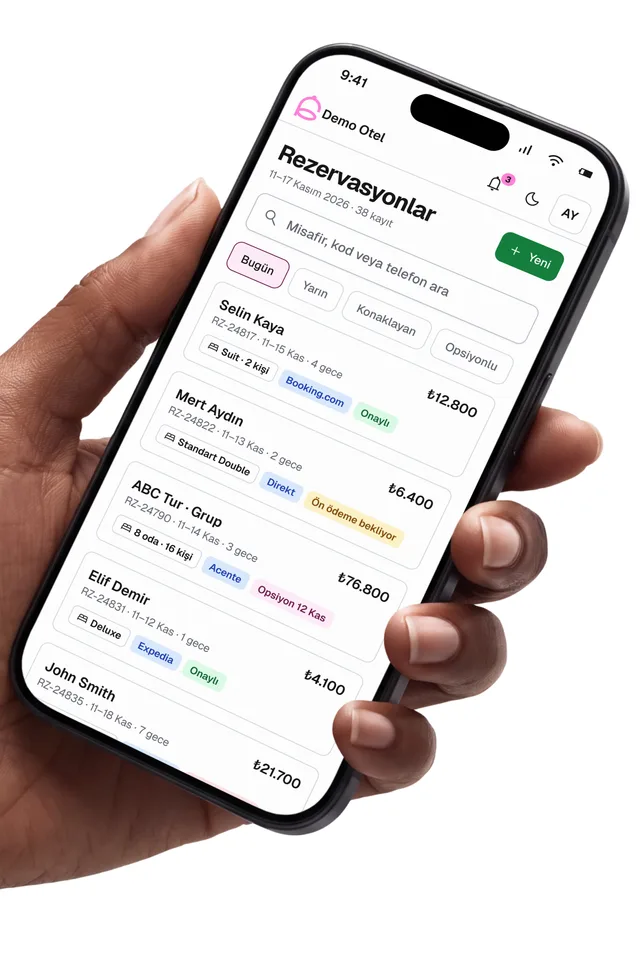
Reservations
Search and edit reservations, record cancellations and no-shows, and create walk-in bookings.
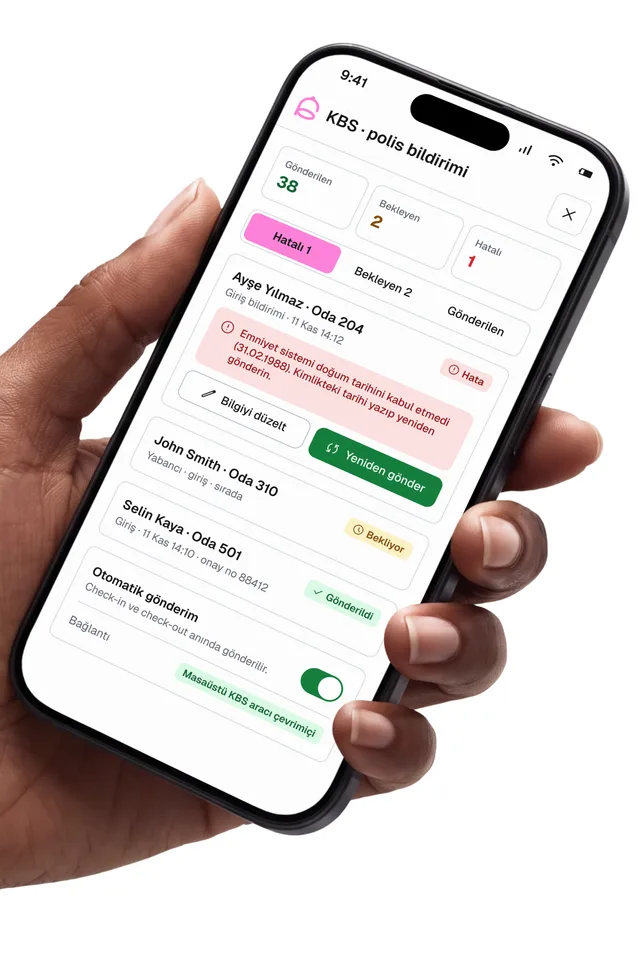
Police registration (KBS)
Guest notifications go to KBS automatically. Follow their status and get an alert when a record is missing.
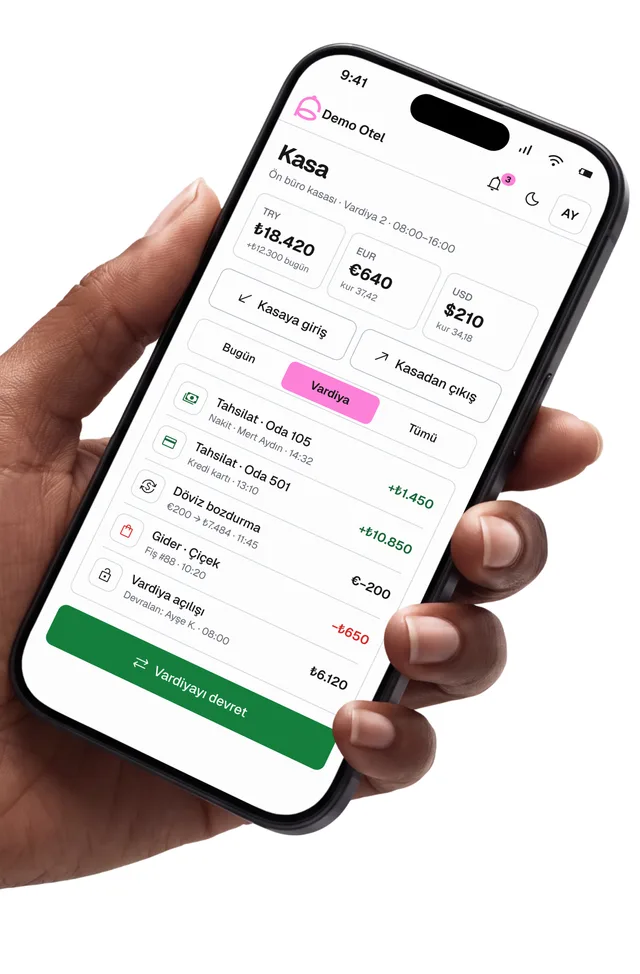
Cash desk and shifts
Follow the front desk cash in TRY, EUR and USD, review active folios and share reports as PDF.
The whole team on the same screen.
 Housekeeping & technical serviceCleaning tasks, inspection checklist and work orders.
 Night auditClose the business day and get a reminder when it is due.
 Instant notificationsNew bookings, cancellations and KBS alerts as they happen.
 Channel managementFollow online bookings and the occupancy forecast.
 ReportsOpen daily reports on your phone and share them as PDF.
 Role-based accessEach user only sees the screens and actions they are allowed to use.
Ready in three steps.
- 01
Download the app
Search for RoomFollow on the App Store or use the button on this page.
- 02
Sign in
Use your hotel code and RoomFollow user details. You can also open a new property from the app.
- 03
Work together
Front desk, housekeeping and management see the same records at the same time.
Questions about the app
Which devices does the RoomFollow app run on?
The app can be downloaded from the App Store for iPhone and iPad. On a computer, use the web panel or the Windows program.
Does the app use the same data as the web panel?
Yes. A change made in the app appears in the panel instantly, and a change made in the panel appears in the app instantly.
Do user permissions apply in the app too?
Yes. Each user works with the role, screen and action permissions set by hotel management.
Can I scan IDs and passports with the app?
Yes. Scan the ID card or passport with the phone camera; the guest details are written into the check-in form.
Is there an Android app?
The Android app is in preparation. Until then, Android users can open the web panel in the phone's browser.
Which languages is the app available in?
The app is available in 19 languages and opens in your phone's language.